BlogIndustry Insights
Most Popular AI Knowledge Hubs for Teams

BridgeApp Team
10 min read

The most popular AI knowledge hub in 2026 is no longer just a searchable folder of internal docs. Teams now expect an AI powered knowledge base that can answer questions, surface relevant articles, suggest updates, create content, and connect knowledge sources across chat, tickets, docs, and databases.
Below, we’ll compare the top platforms for knowledge management, internal knowledge management, support automation, and AI agents so you can choose the right knowledge management system for your team.
How We Chose the Best AI Knowledge Hubs
To choose the best AI knowledge hub options, we looked beyond basic search function and document storage. A strong knowledge base platform now needs to combine accurate answers, AI powered search, content governance, integrations, and practical AI workflows.
Here are the main criteria we used:
- AI search accuracy and natural language processing capabilities, including whether teams can ask natural language questions and answer natural language questions with citations.
- Integration with existing workflows and communication tools, including google docs, google drive, slack conversations, support channels, ticketing system data, and third party tools.
- Content creation and maintenance automation features, such as the ability to create knowledge base content, create knowledge base articles from support tickets, identify content gaps, and flag stale content.
- User adoption rates and ease of implementation, because a powerful AI knowledge base software platform is not useful if teams avoid it because of the learning curve.
- Scalability for different team sizes and enterprise needs, from startups and mid market teams to large enterprises.
- Data security and deployment flexibility, including enterprise grade security, cloud, on-premise, hybrid, and permission controls.
- ROI through productivity improvements and time savings, especially when AI can suggest relevant content based on user queries and help employees find answers faster.
- AI agent capabilities for automated knowledge management, including whether ai agents, knowledge agents, ai bots, or an ai assistant can take action across existing tools.
Top 8 Most Popular AI Knowledge Hubs for Teams
1. BridgeApp
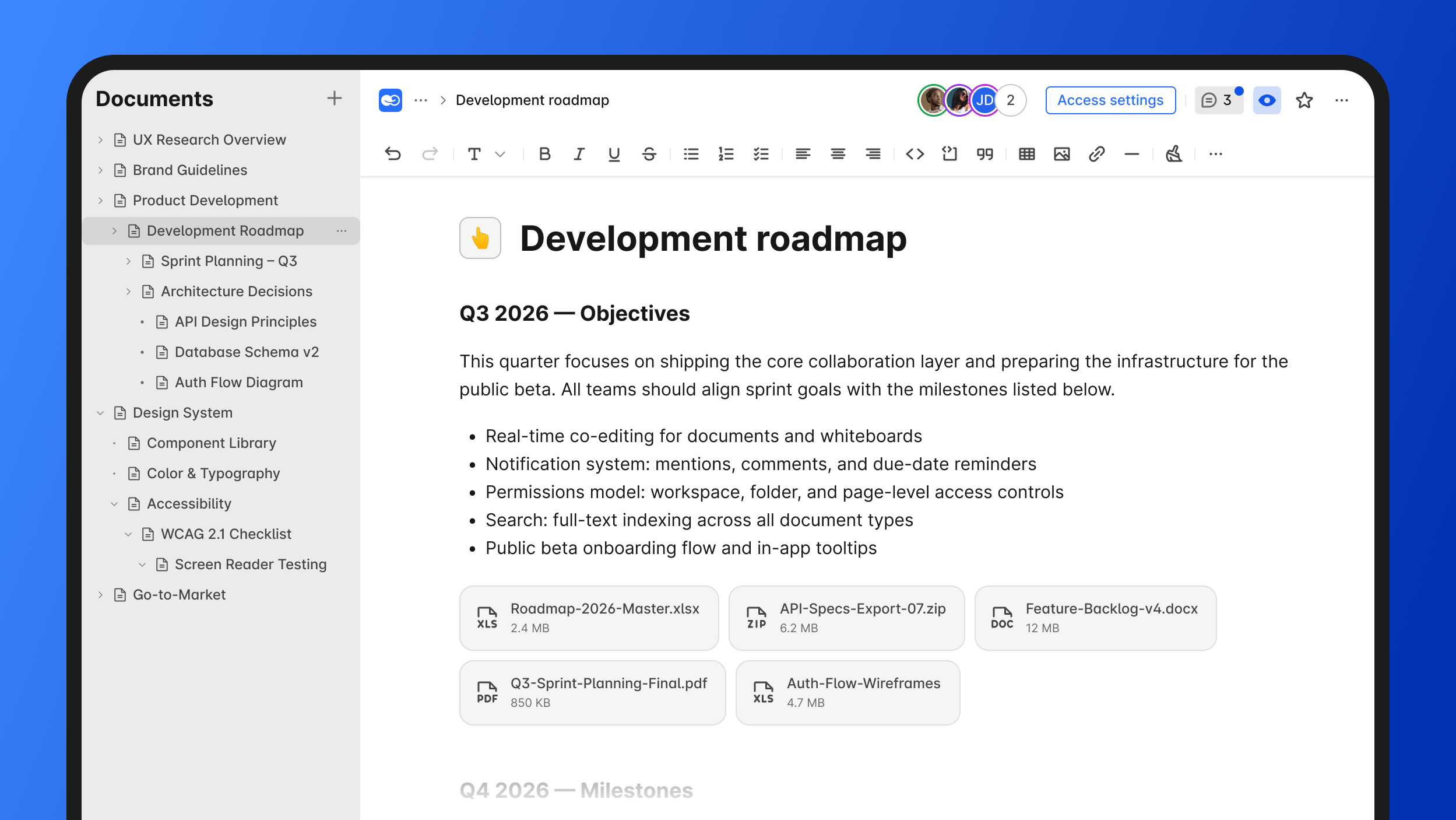
BridgeApp is an AI-native digital workspace that combines team communication, project management, knowledge bases, databases, calls, documents, and AI automation in one place. It is sometimes described as a next-generation corporate operating system because it brings channels, threads, tasks, docs, databases, and digital employees into a single workspace.
Why it stands out:
BridgeApp is built around an AI-first architecture rather than adding artificial intelligence as a separate add-on. Teams can search across all your team conversations, build their own document management system using flexible tools, and eliminate routine work with AI agents that understand your company context.
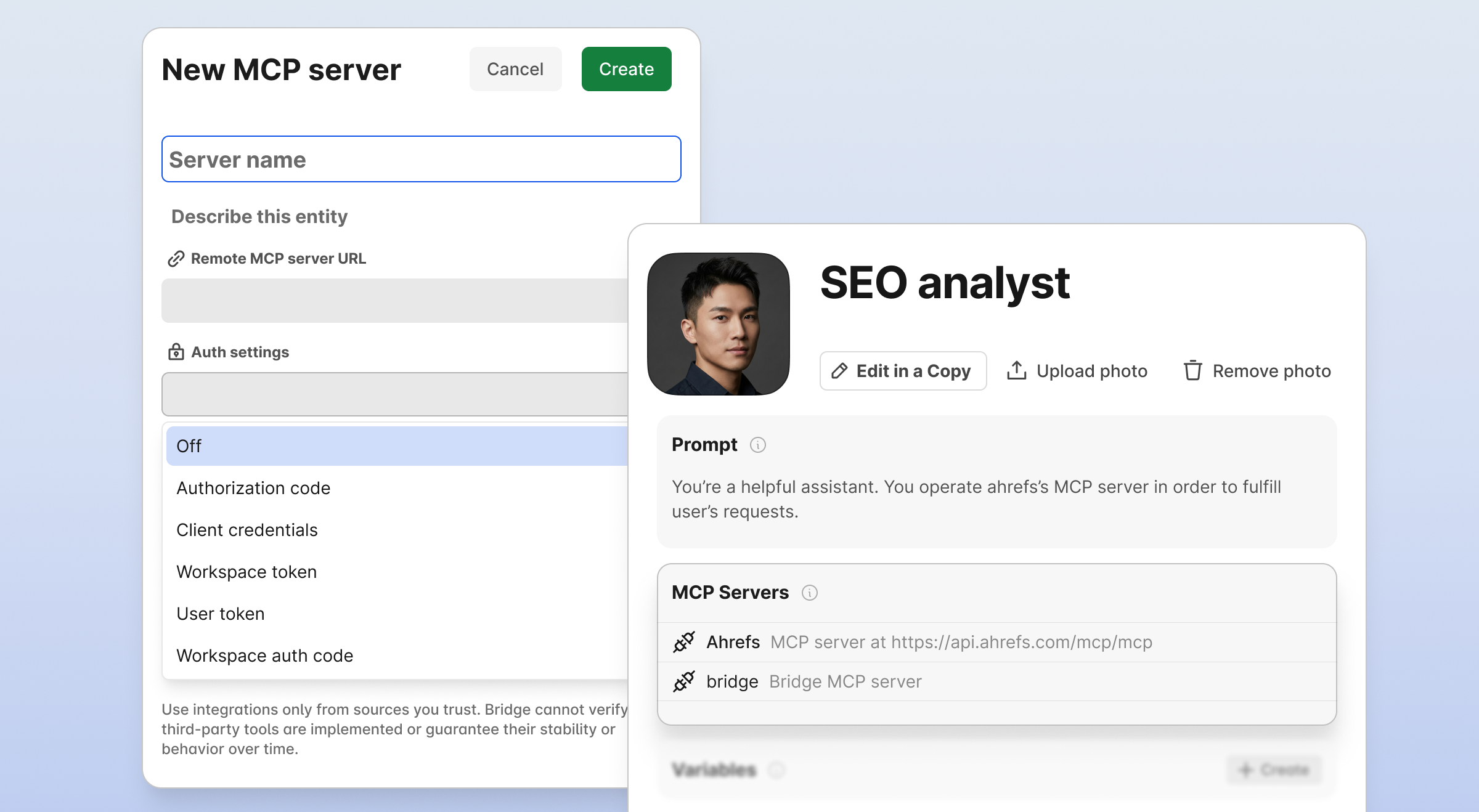
The standout feature is its visual no-code builder for AI agents. These agents can create tasks from conversations, generate reports, populate databases, respond in chats, execute custom workflows, and connect MCP servers to agents for unlimited automation scenarios. BridgeApp also gives access to all AI models on the market, so teams are not locked into one provider.
Best for:
BridgeApp is best for teams that want an all-in-one workspace instead of stitching together other tools for chat, tasks, documents, databases, and automation. It fits IT teams, product teams, SMBs, startups, department leaders, and enterprises with EU data sovereignty requirements.
Key strengths:
- Cloud, on-premise, private cloud, and hybrid deployment options.
- GDPR-compliant setup, EU-hosted environment option, and ISO/SOC2 alignment path.
- Free plan includes unlimited users, messenger, documents, task tracker, AI Builder, databases, calls, and search.
- Pro plan costs €9/user/month monthly or €7.5/user/month yearly.
- Enterprise plan uses custom pricing and adds on-premise deployment, white labeling, BYOK, SLA, account manager, and priority support.
2. Notion
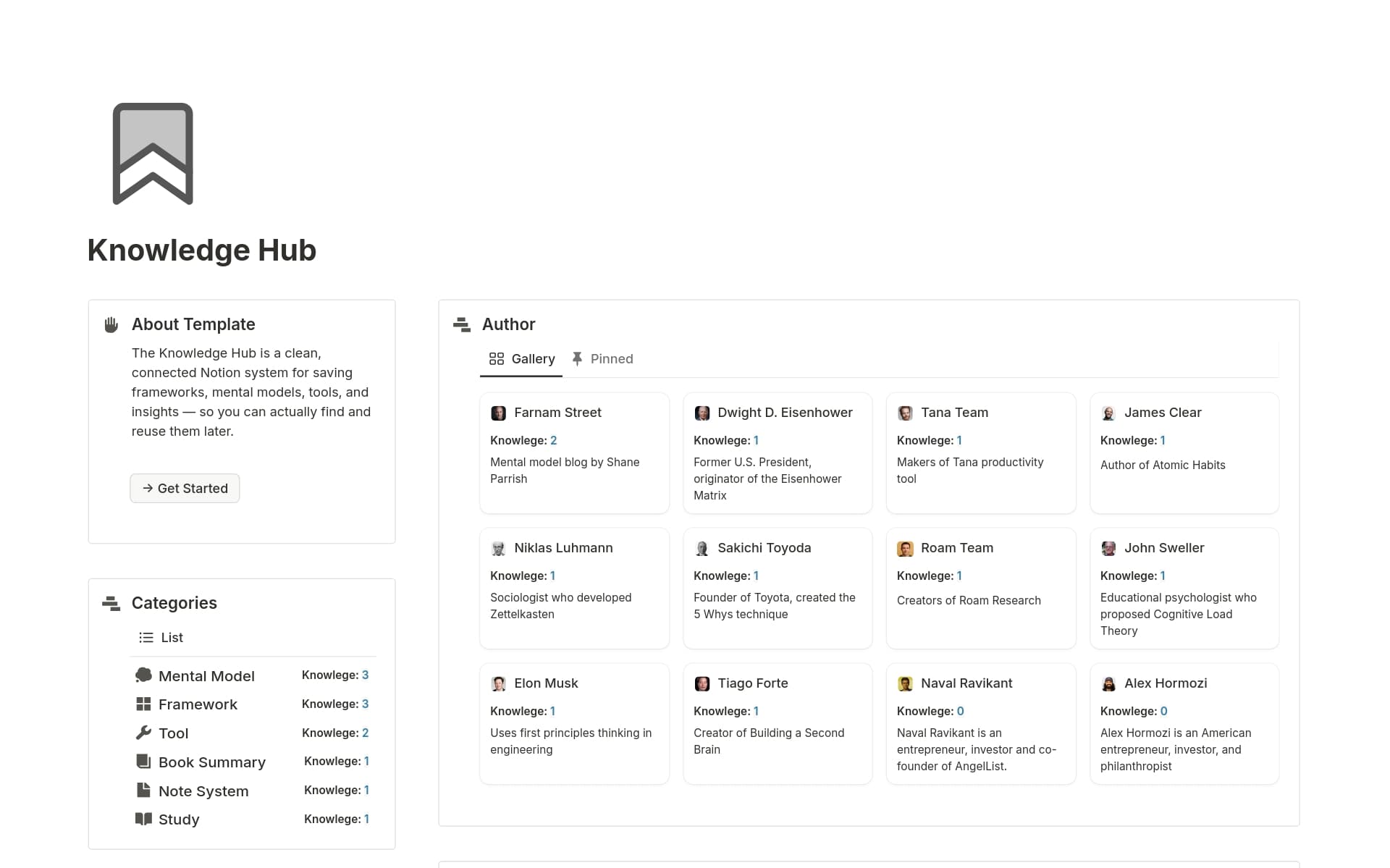
Notion is a flexible workspace for pages, databases, internal wikis, projects, and AI-assisted writing. For many teams, it is the most popular ai knowledge hub when customization matters more than strict structure.
Why it stands out:
Notion’s strength is modularity. Teams can build nested pages, databases, project trackers, internal docs, and external pages in a single workspace. Notion AI and Notion Agents help summarize, rewrite, brainstorm, translate, and answer questions across relevant content.
Notion connects seamlessly with Trello, Figma, and Google Calendar, making it useful for design, product, and operations teams that already depend on those workflows.
Best for:
Notion is best for startups, product teams, design teams, and mid-market companies that want a flexible internal knowledge base. It also works well when teams need a lightweight way to create content and organize relevant information without heavy admin overhead.
Key strengths:
- Highly customizable pages, databases, and internal wikis.
- AI features for writing, summarizing, editing, translating, and research.
- Enterprise Search for connected apps and external sources.
- Helpful for project planning, meeting notes, specs, and team documentation.
- Notion’s Team plan starts at $8 per member per month.
Possible limitations:
Notion can become messy if no one owns structure, permissions, and content maintenance. Stale content can weaken ai search quality, and complex workspaces often need clear owners. Custom AI workflows may also introduce pricing complexity for larger teams.
3. Confluence
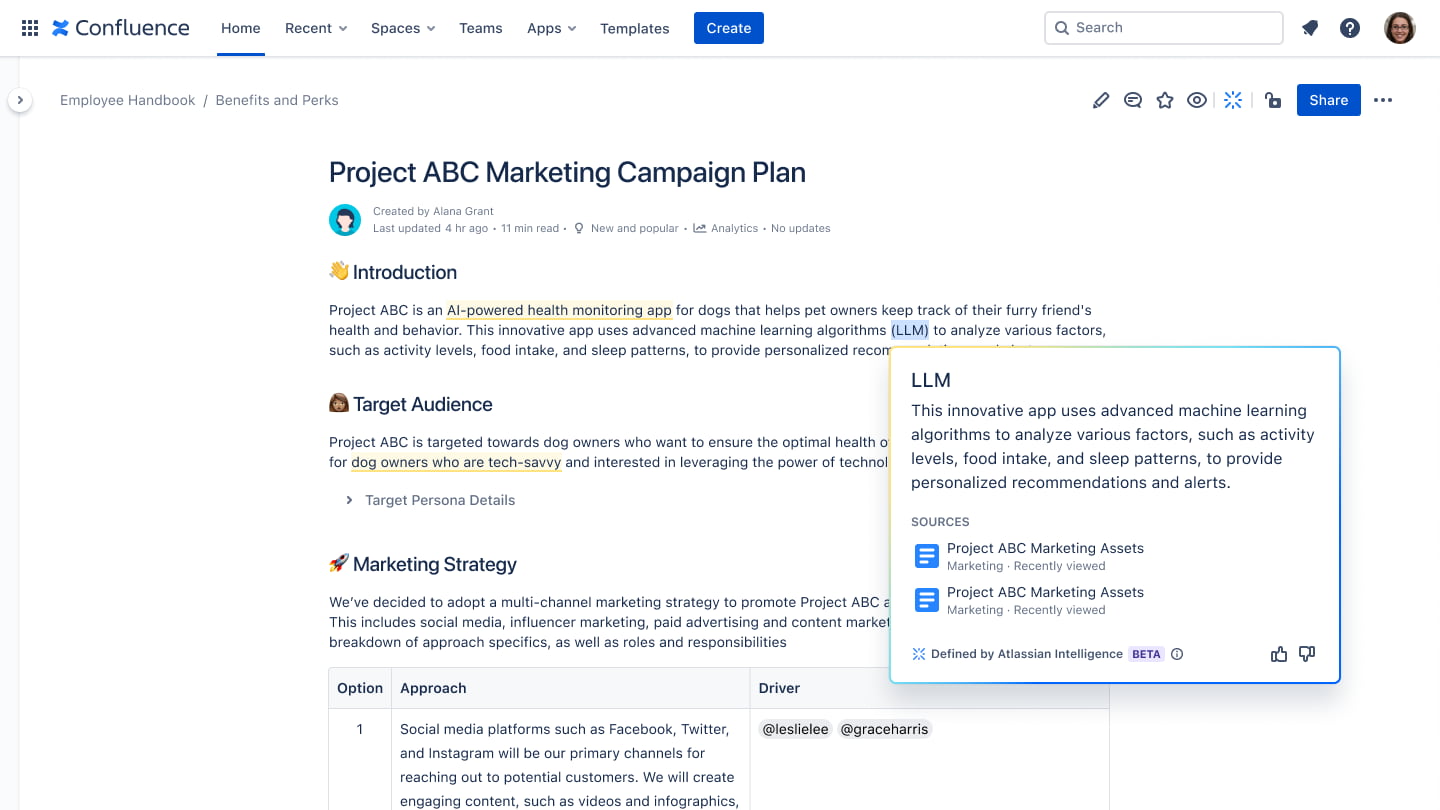
Confluence is Atlassian’s enterprise knowledge hub, widely used by engineering, product, IT, and operations teams. With Rovo AI, Confluence has moved from static documentation toward enterprise search, automation, and conversational knowledge discovery.
Why it stands out:
Confluence integrates deeply with other Atlassian products like Jira and Trello. That deep integration makes it useful when technical docs, sprint plans, requirements, and decisions need to connect directly with engineering work.
Rovo AI helps teams search across Atlassian and connected apps, summarize content, explain internal terms, and turn documentation into action items.
Best for:
Confluence is best for large enterprises, engineering organizations, and companies already invested in Jira. It is especially useful when governance, permissions, and structured documentation matter.
Key strengths:
- Strong enterprise search across Atlassian knowledge sources.
- Rovo AI for search, chat, summarization, content refinement, and task creation.
- Scales well for large documentation environments.
- Mature permissions and administrative controls.
- Confluence pricing starts at $5.50 per user per month.
Possible limitations:
Confluence can feel heavy compared with newer knowledge base software. Large workspaces often contain outdated or duplicate existing documents, which means teams need cleanup before AI can deliver accurate answers. Adoption can also be slower if employees prefer lighter interfaces.
4. Guru
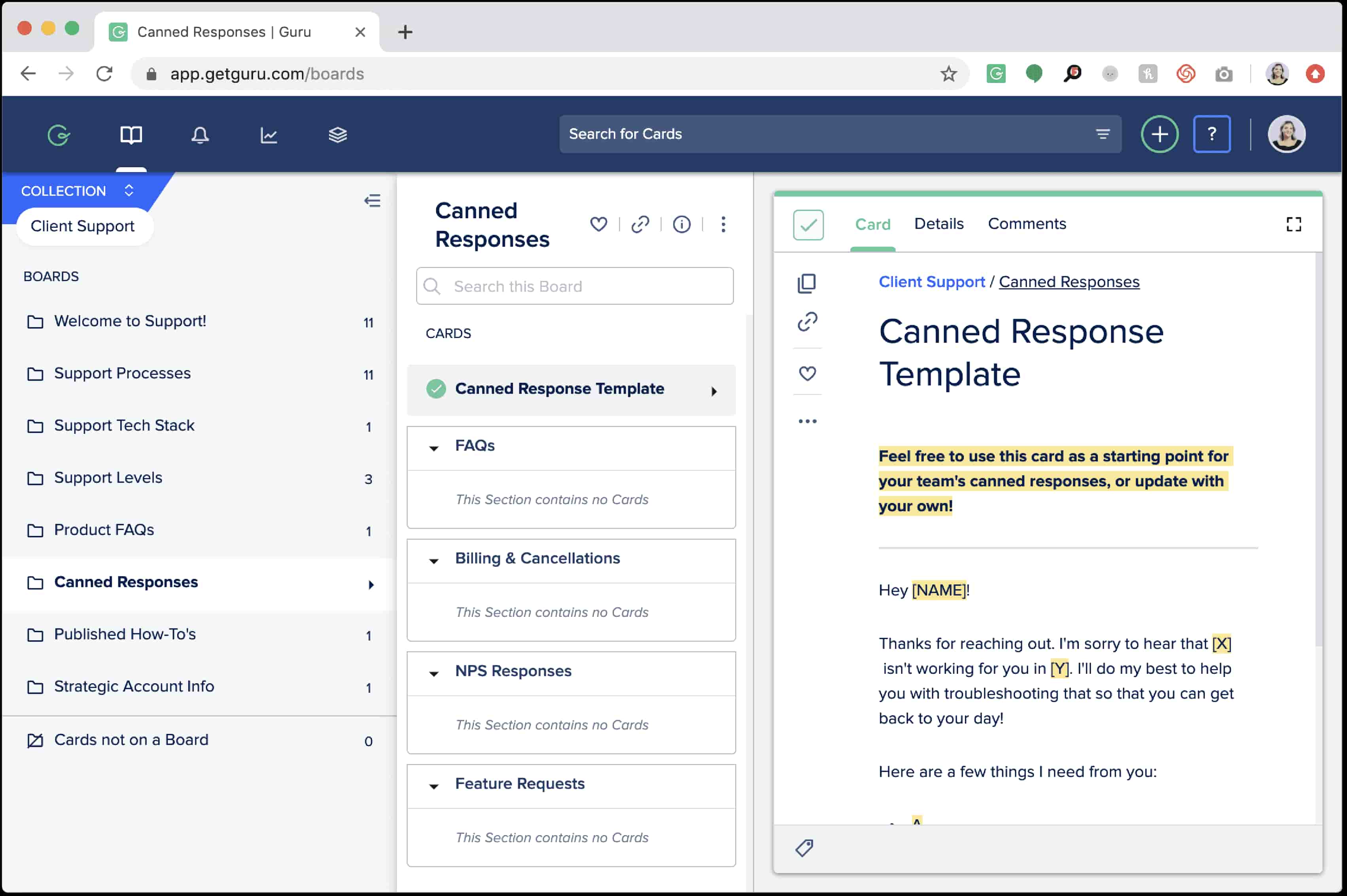
Guru is a real-time verified AI knowledge platform built for customer-facing teams. It focuses on making sure support, sales, and success teams can trust the answer they are using.
Why it stands out:
Guru’s verification workflow is the core advantage. Knowledge cards have owners, review cycles, and verification reminders, helping reduce knowledge gaps and prevent customer support agents from relying on outdated answers.
Its browser extension and AI Suggest feature bring relevant content into the flow of work, which is useful for teams that switch between CRM, email, chat, and support systems.
Best for:
Guru is best for sales, support teams, enablement teams, and customer success groups that need agent assist capabilities and verified answers during customer conversations.
Key strengths:
- Strong doc verification and ownership workflows.
- AI suggestions inside the browser and daily tools.
- Good fit for fast-moving support and sales environments.
- Helps human agents answer complex questions with more confidence.
- Useful for internal and external knowledge when accuracy is critical.
Possible limitations:
Guru is more specialized than broad workspace platforms. It may not replace project management, databases, or deep documentation systems. Cost can also rise as adoption expands across departments.
5. Slite
Slite is a minimalist AI-powered team wiki built around clarity, verification, and ease of use. It is designed for teams that want clean documentation without turning knowledge management into a complex admin project.
Why it stands out:
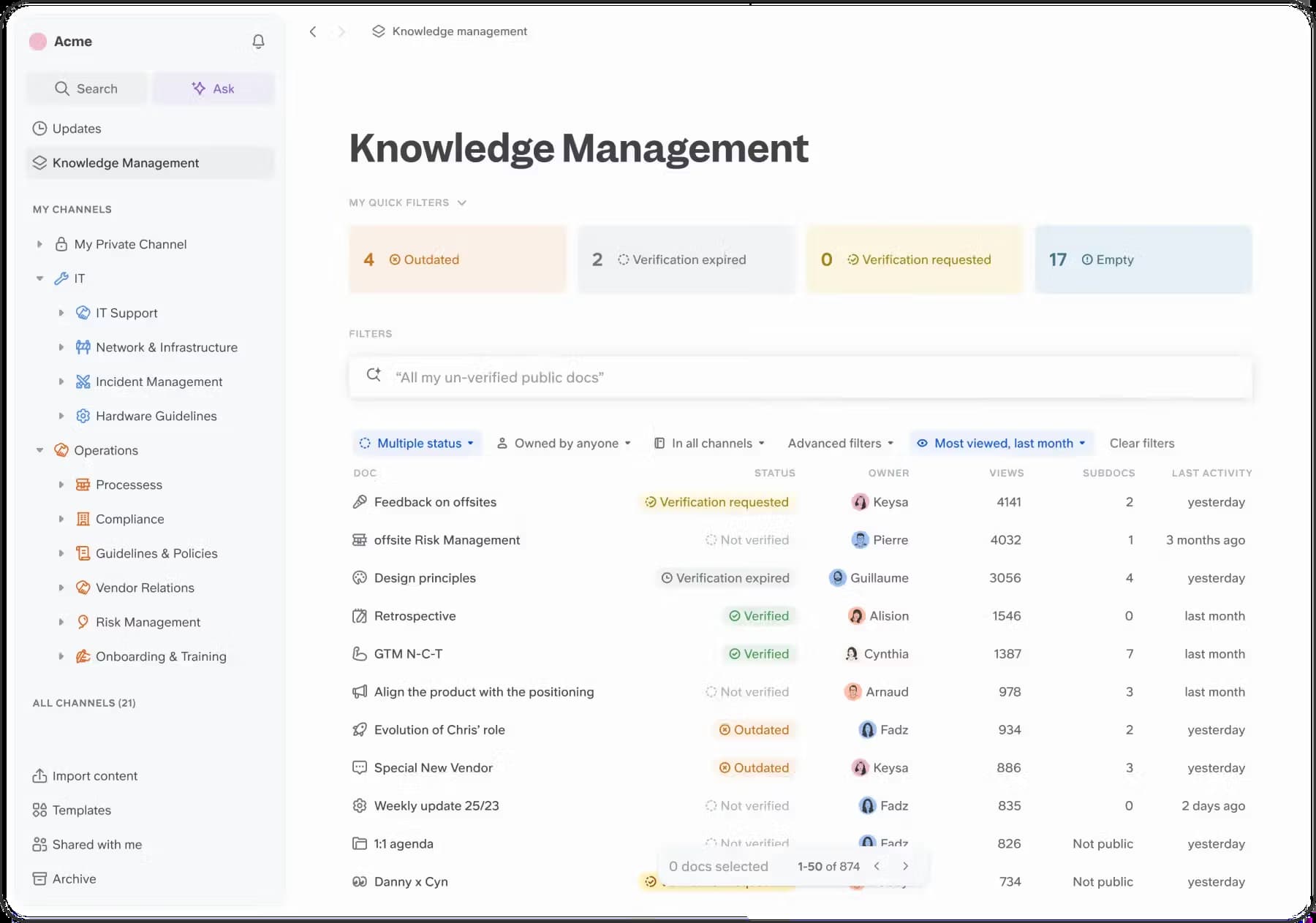
Slite’s Ask AI assistant helps teams ask natural language questions and get answers from verified docs. Its Knowledge Management Panel helps detect duplicate docs, outdated pages, and missing information.
Slite integrates with over 40 tools including Slack and Google Drive, which helps teams bring relevant information from external sources into their knowledge workflows.
Best for:
Slite is best for remote teams, startups, and smaller mid market companies that want simple internal knowledge management with a clean interface.
Key strengths:
- Simple writing and reading experience.
- Conversational AI for finding relevant articles.
- Verification alerts and content curation tools.
- Good balance of simplicity and AI knowledge governance.
- Slite’s pricing starts at $8 per user per month.
Possible limitations:
Slite is not as broad as Confluence, BridgeApp, or Document360. It is less suited for teams that need advanced workflows, public help centers, extensive automation, or deep integration with complex enterprise systems.
6. Document360
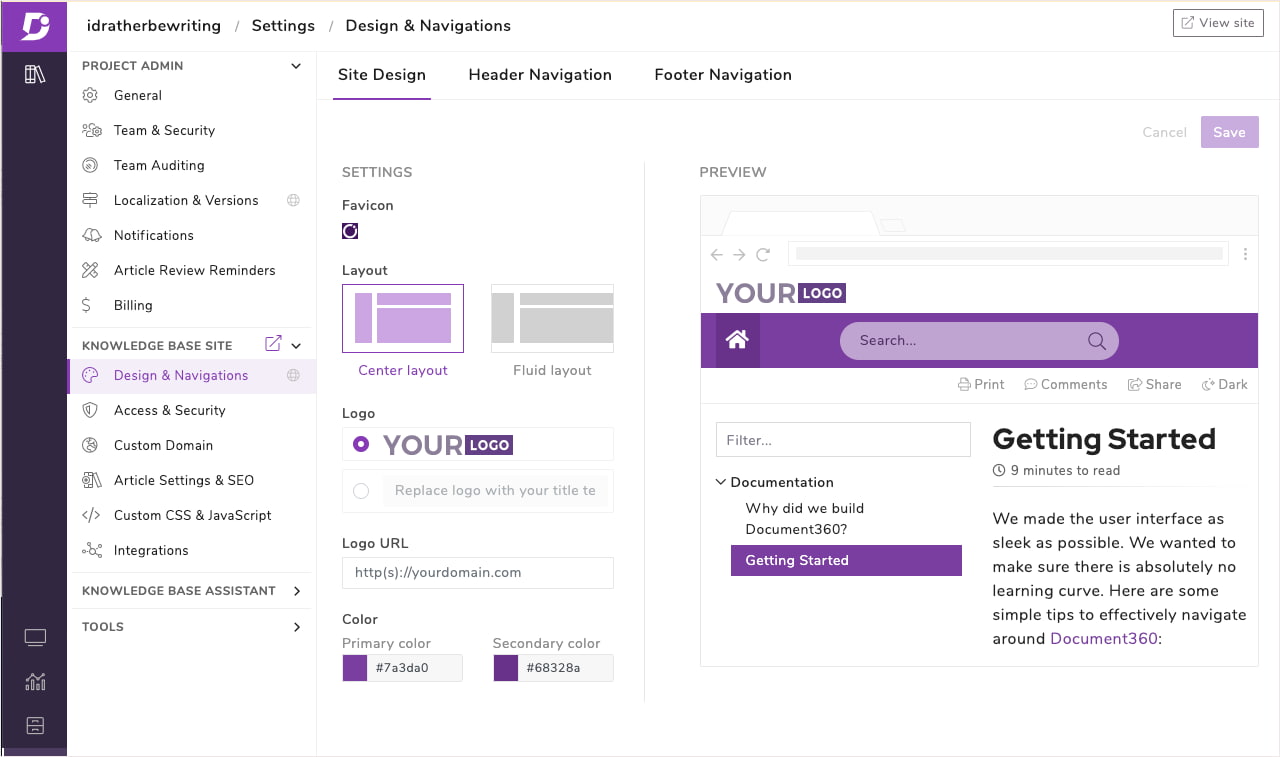
Document360 is a documentation-focused platform for internal and customer-facing knowledge bases. It is especially popular with SaaS companies, product teams, and technical writers who need structured docs, SEO controls, versioning, analytics, and customer self service.
Why it stands out:
Document360’s Eddy AI helps with AI writing, conversational search, article suggestions, and cited responses. It is strong for companies that need external help centers, product documentation, SOPs, and a polished self service experience.
Best for:
Document360 is best for SaaS teams, technical documentation teams, and companies that need a public or private knowledge base with strong authoring workflows.
Key strengths:
- Strong documentation workflows for writers, editors, and reviewers.
- SEO optimization for public documentation.
- AI-powered search with cited answers.
- Good fit for technical docs and external help centers.
- Can support internal and external knowledge from one documentation setup.
- Document360 offers tiered pricing but does not display official prices.
Possible limitations:
Document360 is more focused on documentation than team communication or project management. It may not replace chat, task tracking, or broader operating workflows. Some AI features may be packaged separately depending on plan and usage.
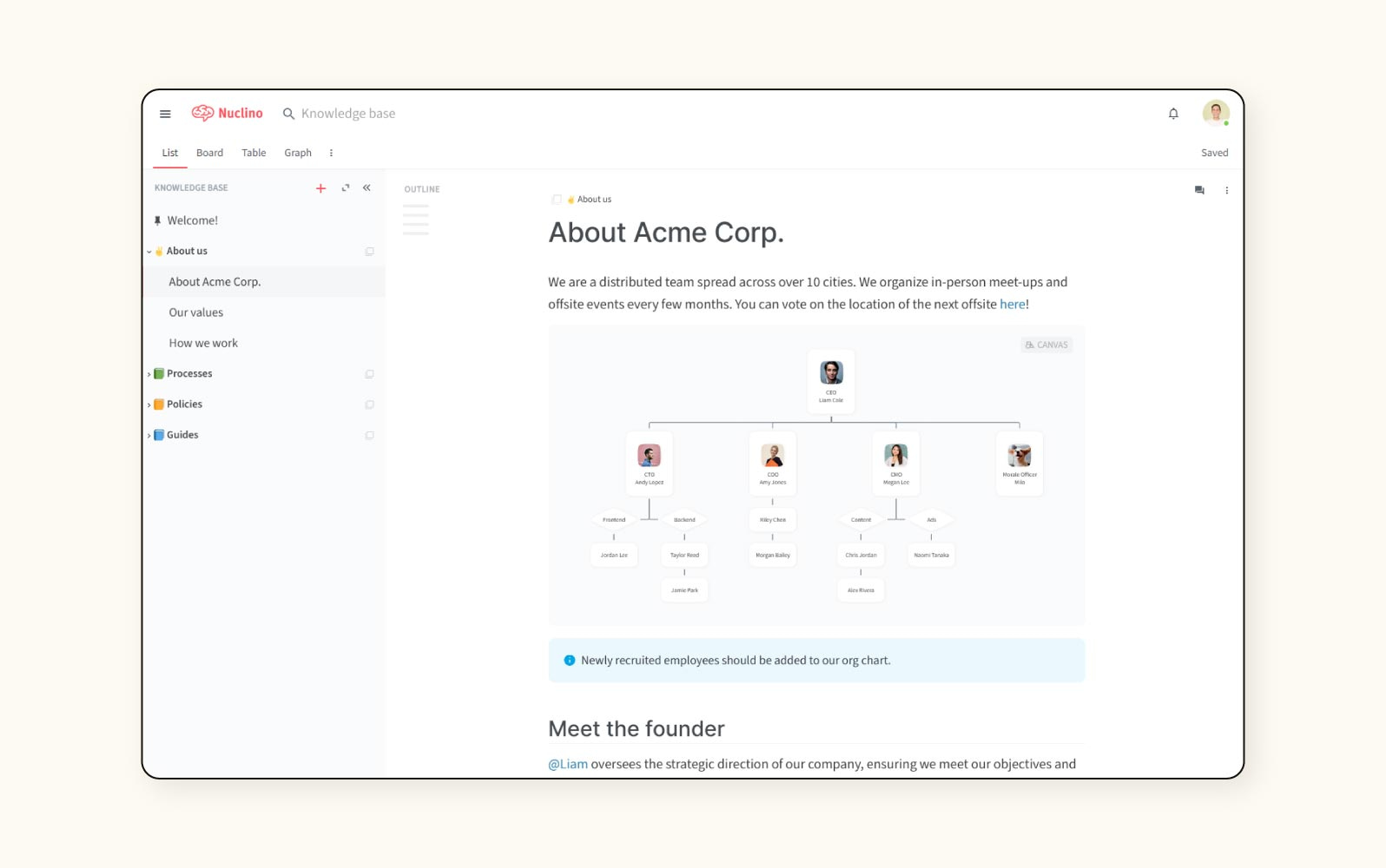
7. Zendesk Guide
Zendesk Guide is Zendesk’s support-focused knowledge base, connected to its broader customer service platform. It is designed to help customers find answers, reduce repetitive tickets, and support agents with better knowledge.
Why it stands out:
Zendesk stands out when support ticket deflection is the main goal. Its AI agents work across support channels and can use help center content, ticket history, workflows, and automation tools to resolve common issues.
The market often compares Zendesk AI Agents with tools such as the Fin AI agent because both focus on autonomous support resolution. Zendesk’s advantage is its mature customer service ecosystem.
Best for:
Zendesk Guide is best for high-volume customer service teams, customer support agents, and companies that need AI-powered self service connected to a ticketing system.
Key strengths:
- Strong omnichannel support for email, chat, messaging, and voice.
- AI agents for ticket deflection and resolution.
- Copilot and agent assist features for human agents.
- Supports integration with over 40 languages and various automation tools.
- Zendesk Suite plans start at $55 per user per month.
- Useful for tracking resolution, deflection, and support ROI.
Possible limitations:
Zendesk can be too complex and expensive for teams that only need an internal knowledge base. It is strongest in support environments, not general company documentation. Setup may require clear governance, clean help center content, and dedicated owners.
8. Obsidian
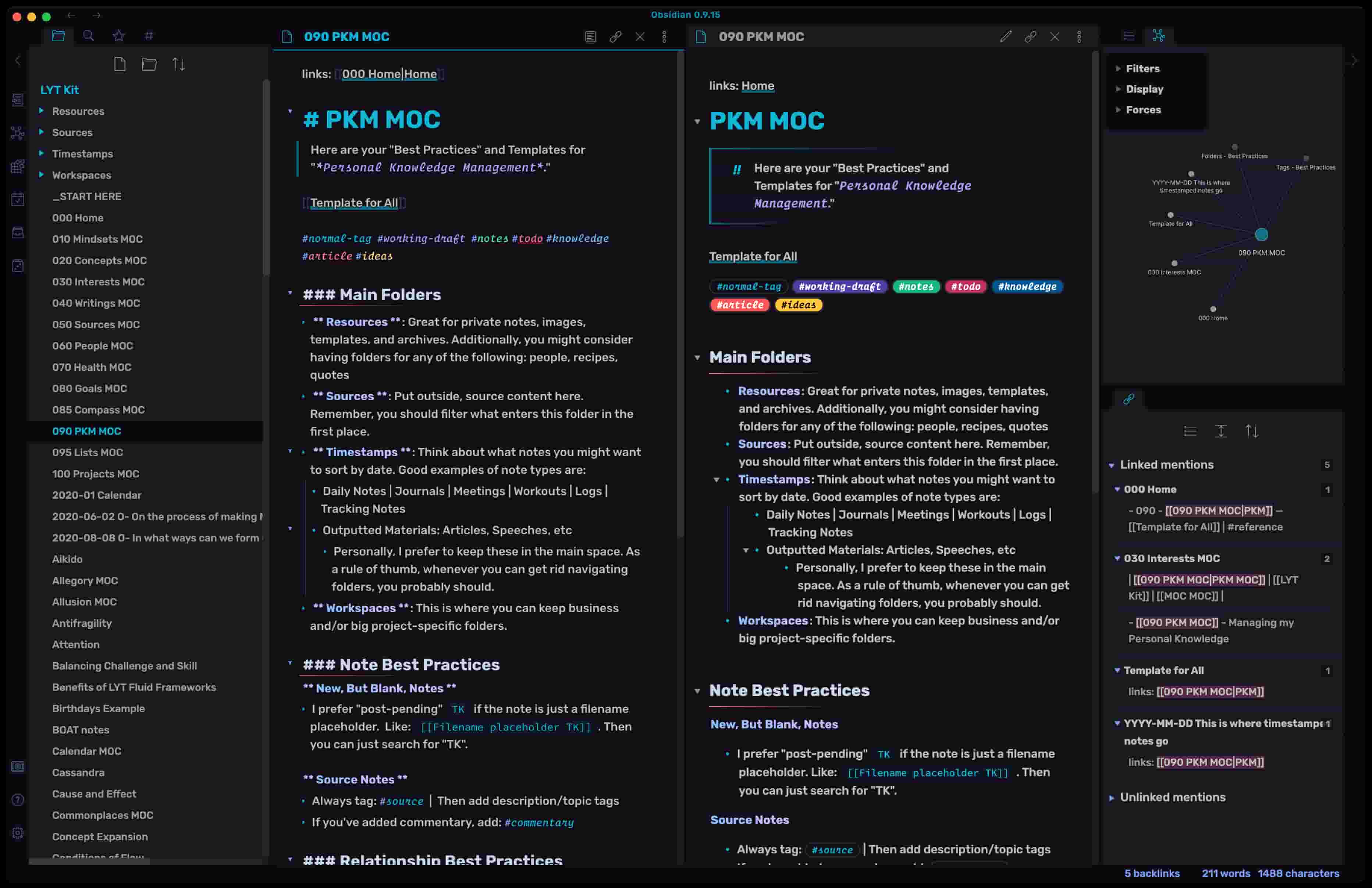
Obsidian is a privacy-first knowledge hub built on local Markdown files. It is popular with researchers, founders, writers, engineers, and privacy-conscious professionals who want full control over their notes and knowledge graph.
Why it stands out:
Obsidian stores content locally and lets users connect notes through backlinks and graph visualization. With plugins and local AI models, users can build Graph RAG workflows, personal AI knowledge systems, and private research assistants.
Best for:
Obsidian is best for individuals, researchers, and privacy-conscious professionals. It can also work for small technical teams that are comfortable managing files, plugins, and sync setups.
Key strengths:
- Local-first storage and strong privacy control.
- Graph visualization for connected thinking.
- Plugin ecosystem for AI, search, and workflow customization.
- Works well with local models and advanced personal knowledge setups.
Possible limitations:
Obsidian is not a ready-made team knowledge management system for most businesses. Collaboration, permissions, governance, public documentation, and support workflows require more technical setup than traditional knowledge management tools.
Quick Comparison of the Most Popular AI Knowledge Hubs
Here is a fast way to compare each most popular ai knowledge hub option:
| Platform | Best for | Main advantage | Watch out for |
|---|---|---|---|
| BridgeApp | Unified AI-native workspace with integrated knowledge management | Chat, tasks, docs, databases, calls, and AI agents in one platform | Newer platform; advanced workflows need planning |
| Notion | Customizable team wikis with AI automation | Flexible pages, databases, and AI writing | Can become messy without ownership |
| Confluence | Enterprise knowledge management in Atlassian ecosystem | Jira, Trello, Rovo AI, permissions, scale | Heavy UX and legacy content cleanup |
| Guru | Verified, real-time knowledge for customer-facing teams | Verification, browser extension, AI Suggest | More specialized use case |
| Slite | Simple, clean AI-powered team documentation | Easy adoption and verification alerts | Fewer complex workflow features |
| Document360 | Customer-facing help centers and technical documentation | SEO, authoring workflows, Eddy AI | Less focused on internal collaboration |
| Zendesk Guide | Support ticket deflection and customer service automation | AI agents, omnichannel support, ticket workflows | Cost and complexity outside support |
| Obsidian | Personal knowledge management with local AI capabilities | Privacy, Markdown, graph-based thinking | Not built for broad team governance |
A few adjacent tools are also worth knowing. Onyx connects to tools like Slack, Confluence, and GitHub for cross-tool search. Slab’s basic plan is free for up to 10 users, which can help small teams test wiki workflows. Salesforce knowledge may be a better fit for companies already standardized around Salesforce service operations, but it is usually less flexible as a general-purpose AI workspace.
How to Choose the Right AI Knowledge Hub
Choose Based on Team Size and Structure
Small teams usually need speed, simplicity, and low admin overhead. Notion, Slite, and Obsidian can work well when teams want fast documentation and do not need heavy governance. A standard plan may be enough at this stage if the team only needs docs, search, and light AI.
Mid market teams should think about scale earlier. Once information spreads across google drive, Slack, project tools, and support systems, unified search becomes more important. This is where BridgeApp, Confluence, Guru, and Document360 can help organize existing knowledge bases and reduce duplicate work.
Large enterprises need permission controls, auditability, deployment flexibility, and enterprise plan options. BridgeApp’s on-premise and hybrid deployment, Confluence’s mature Atlassian governance, Zendesk’s support operations, and Document360’s documentation workflows all serve different enterprise needs.
Distributed teams should prioritize adoption. If people work across time zones, the knowledge base has to answer questions without waiting for a teammate to come online.
Choose Based on AI Features Priority
If your main priority is content creation automation, look for AI features that draft, summarize, translate, and create knowledge base content from tickets or conversations. Document360, Notion, Zendesk, and BridgeApp are strong options depending on whether your content lives in docs, support tickets, or team conversations.
If your priority is search accuracy, look for ai powered search, citations, verified sources, and fallback behavior when the system does not know the answer. Guru and Slite focus heavily on trust, while Confluence and Zendesk lean on structured enterprise data.
If your priority is automation, choose a platform with AI agents that can act, not just summarize. BridgeApp is strong here because its visual no-code AI agent builder can create custom AI-powered workflows for any business process. Zendesk is strong when the action is customer service resolution. Notion is useful for flexible workspace automation.
Also check whether the platform works with existing AI tools. Some teams want access to all major AI models, MCP support, or flexibility to connect external sources. That matters when knowledge agents need to work across multiple systems rather than inside one app.
Choose Based on Deployment and Security Needs
Security requirements can narrow your list quickly. Some companies are comfortable with cloud SaaS. Others need private cloud, on-premise deployment, hybrid architecture, BYOK, EU hosting, or strict data residency.
BridgeApp is notable for cloud, on-premise, private cloud, and hybrid options. Confluence works well for enterprise cloud teams already using Atlassian. Obsidian is strongest for local-first personal knowledge. Zendesk and Document360 fit teams that need mature controls around support and documentation.
Before choosing, ask:
- Where will internal docs and customer-facing articles be stored?
- Can the platform index existing documents and external sources safely?
- Does it support role-based access and external collaborators?
- Can it separate internal knowledge base content from public self service content?
- Does the AI respect permissions when answering questions?
Which AI Knowledge Hub Is Best for You?
Choose BridgeApp if you want an all-in-one AI workspace that eliminates context switching. It is the strongest option for teams that want communication, task management, documents, custom databases, calls, and AI agents in one place.
Choose Notion if you need maximum customization and don’t mind complexity. It is a strong fit for teams that want flexible nested pages, databases, and creative documentation workflows.
Choose Confluence if you’re already invested in Atlassian tools and need enterprise features. It is especially useful for engineering teams that depend on Jira and structured technical documentation.
Choose Guru if accuracy and real-time verification are critical for customer interactions. It works well when support and sales teams need trusted answers in the flow of work.
Choose Slite if you prioritize simplicity and clean user experience. It is a good choice for remote teams that want lightweight documentation with verification and AI search.
Choose Document360 if you primarily need customer-facing knowledge bases. It is strong for SaaS documentation, help centers, product guides, and SEO-friendly technical content.
Choose Zendesk Guide if support ticket deflection is your main goal. It is best when the knowledge base needs to connect directly to support agents, AI bots, automation, and customer self service.
Choose Obsidian if you need privacy-first personal knowledge management. It is ideal for individuals who want local control, Markdown files, and graph-based AI workflows.
Making Your Choice
The best AI knowledge hub depends on where your knowledge lives, who needs it, and what action should happen after someone finds it. A support team needs different workflows than a product team, and a privacy-focused researcher needs different controls than a global enterprise.
The biggest trend is clear: the most popular ai knowledge hub is becoming more AI-native, more connected, and more action-oriented. Instead of simply storing knowledge, modern platforms use ai search, AI agents, ai suggestions, automated deep indexing, and workflow automation to help teams answer questions and close knowledge gaps.
BridgeApp has a unique position for teams that want to consolidate their tool stack. It does not just help teams store knowledge; it connects knowledge with communication, tasks, databases, calls, and automation.
Before making a final choice, trial two or three platforms with real content, real users, and real questions. The right knowledge hub should not just look good in a demo. It should help your team find answers faster, keep content accurate, and turn knowledge into action.